
Travel Bucket List Map: How to Build One You'll Actually Use
A bucket list buried in your notes app never happens. Here's how to build a travel bucket list map that turns vague dreams into trips you actually take.

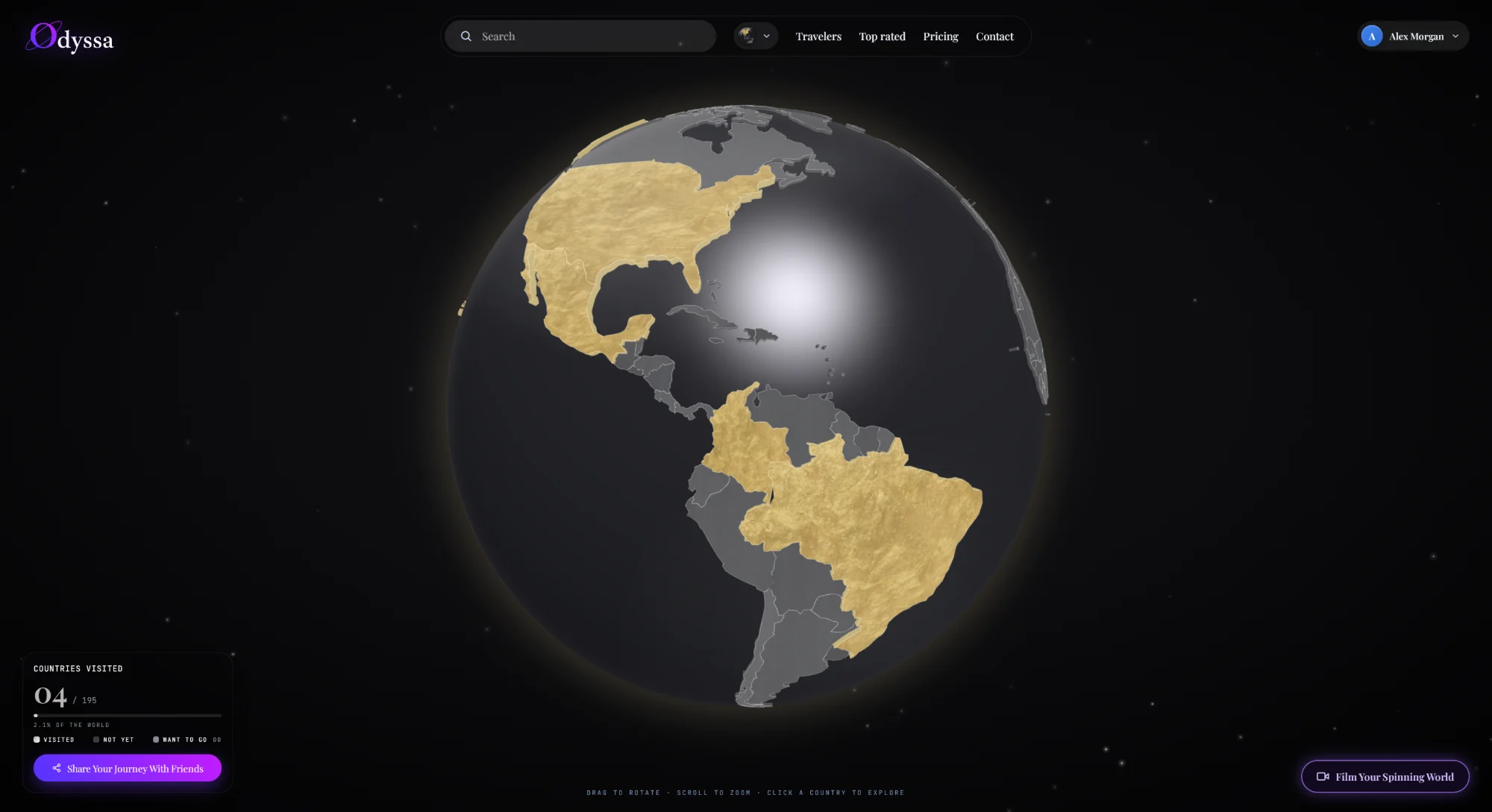
You have a bucket list. It's a note on your phone with 30 place names, and you haven't looked at it since you wrote it. That's the problem with bucket lists — as a list, they're invisible, and invisible things don't happen.
A travel bucket list map fixes that. It's the same wishlist, shown on a map instead of buried in text — and that one change turns a vague pile of names into something you can see, plan around, and actually work through. Here's how to build one you'll use, not one you'll forget.
Why a list fails and a map works
A text list has no shape. "Japan, Peru, Iceland, Morocco, Vietnam…" is just words. You can't see that three of them are on the same side of the world, or that you're already one short flight from two of them.
A map gives the list a shape you can act on:
- You see clusters. Four wishlist spots in Southeast Asia? That's one trip, not four.
- You see what's near where you're already going. Booked Rome? Your map shows Croatia and Greece sitting right there.
- You see the gaps. A whole blank continent is a nudge in a way a list never is.
Dreaming becomes planning the moment you can see the list.
What to actually put on it
Keep it honest, or it turns into wallpaper. A few guidelines:
- Mix scales. Countries are fine, but the places that really pull you are usually specific — Patagonia, not "Argentina"; the northern lights, not "Norway." Pin what you actually picture.
- Keep it small enough to be real. A 200-item list is a fantasy. A 15–25 item list is a plan. Cut it down to the ones that genuinely tug at you.
- Let it include experiences, not just dots. "See the cherry blossoms," "dive the Great Barrier Reef." A bucket list is about moments, not only geography.
How to build one
Three ways, from quickest to most useful:
1. Google My Maps. Free and flexible: create a map, drop a pin on each dream destination, add a note about why. You get a shareable link. It looks plain and it's all manual, but it works.
2. A travel app's wishlist. Most trackers (Been, Visited, and others) let you mark places as "want to go" alongside where you've been. Quick on mobile, though the wishlist is often a secondary feature.
3. An interactive globe that shows visited and wishlist together. This is the version that actually changes behavior. When your "want to visit" pins sit on the same 3D globe as everywhere you've already been, you see your travels and your ambitions in one picture — and the empty spaces start calling.
That's how I keep mine: visited countries and wishlist countries on one globe, so every time I open it I'm reminded what's next. You can build one free at odyssa.me — mark where you've been, then drop pins on where you're going.
The trick to a bucket list you'll use
Making the map is easy. Using it is the part everyone skips. Two habits fix that:
- Put it where you'll see it. A map you open once is a list with extra steps. The ones that work are kept somewhere glanceable — a browser tab, a shared link, an app on your home screen.
- Check it whenever you book anything. Every time you plan a trip, open the map first and ask: what's near here that's already on my list? That single question is how bucket-list places quietly become booked ones.
From wishlist to booked
A map also makes the next step obvious. Instead of "someday, somewhere," you get:
- Pick a cluster. Three pins close together = your next trip picks itself.
- Pair a dream with a plan. Anchor one wishlist spot to a trip you're already taking.
- Watch the gap shrink. The quiet motivation of a bucket list map is seeing "want to go" turn into "been" — one pin moving from wishlist to visited beats any number.
That last part is the real engine. A bucket list on its own is a wish. A bucket list map sitting next to everywhere you've already been is a scoreboard you actually want to move.
FAQ
How do I make a travel bucket list map? Pick a tool — Google My Maps for a free DIY version, a travel app for mobile, or an interactive globe that shows visited and wishlist places together — then drop a pin on each dream destination with a short note on why. Keep the list to 15–25 places so it stays actionable.
What's the best app for a travel bucket list map? For a shared DIY map, Google My Maps. For a version that sits alongside where you've already been, an interactive globe like Odyssa — seeing wishlist and visited on one map is what makes it motivating.
How many places should be on a travel bucket list? Fewer than you think. A tight list of 15–25 places you genuinely want is far more useful than a sprawling 100+ list you'll never act on. You can always add more as you go.
How do I actually visit the places on my bucket list? Cluster them by region so nearby dreams become single trips, and check your map every time you book travel to catch wishlist spots near where you're already headed. Proximity is what turns a list into a plan.