
The Best Travel Tracking Apps in 2026 (Honest Comparison)
We compared the most popular travel tracking apps — Been, FindPenguins, Polarsteps and more — on price, features, and who each one is actually for.


"Best travel tracking apps" is a search with no single right answer — and any list that just ranks ten apps from 1 to 10 is quietly lying to you. The best one depends entirely on what you want tracking to do: give you a number, log your route automatically, or build a memory you'll actually revisit.
So here's the honest version. Below are the apps worth your time in 2026, what each is genuinely good at, and — the part most "best of" lists skip — who each one is wrong for.
Quick verdict:
- Just want the number (countries and regions), no subscription → Been
- Automatic route logging and sharing, totally free → FindPenguins
- Automatic logging plus planning and printed books → Polarsteps
- Country and city checklists plus a printed poster → Visited
- A curated, country-by-country memory you share as a link → Odyssa
(Prices and features below are current as of 2026 and change often — check the app before you commit.)
First, pick your camp
Before the apps, one idea that saves you from downloading five of them. "Tracking" is really three different jobs:
- Counting — how many countries have I been to? (A number and a filled-in map.)
- Logging — where exactly did I go, and when? (An automatic route and timeline.)
- Remembering — what happened there, and will I ever look back? (Photos, notes, a reason to return.)
Most apps are excellent at one of these and mediocre at the others. Decide which job you care about and the choice almost makes itself.
Been — the cleanest country counter
Been is map-first: tap a country and it fills in, watch your travel passport rack up countries, continents, and UN members, and drill down into states and regions across 50+ countries. It's free, with a one-time premium purchase (not a subscription) that unlocks the 3D globe, region tracking, a wishlist, and private notes.
Where it shines: it counts beautifully, the map is satisfying to fill, and the one-time price is a genuine relief when so many rivals went subscription. Where it falls short: it's built for the number, not your memories — you get notes, but not rich photo-and-video albums per country. It's also mobile-only. Best for: people who mainly want the count and a clean map, and who refuse to pay monthly.
FindPenguins — free, automatic, social
FindPenguins turns your phone into an automatic tracker: leave it in your pocket and it records your route, then you add "footprints" — posts with photos and videos — and it can spin your route into a 3D flyover video. It went completely free, has millions of users, and leans social: you follow other travelers and they follow you.
Where it shines: automatic tracking, rich media, a genuine community, and free. Where it falls short: it's organized around routes and time and is social by default — great if you want an audience, less ideal if you want a private, country-organized keepsake. Best for: social travelers who want a free, automatic trip journal.
Polarsteps — the polished all-rounder
Polarsteps is the App-Store-featured favorite. It auto-tracks your route as a dotted path on a map, holds photos and videos per stop, plans trips (there's an AI itinerary planner and destination guides), and turns the result into genuinely beautiful printed travel books. Core use is free; Polarsteps Plus runs about €29.99/year (or €8.99/month), and books run roughly €36–150.
Where it shines: effortless automatic route logging, light planning, and the nicest printed keepsake in the category. Where it falls short: like FindPenguins, it's trip-and-route centric, so a lifetime "everywhere I've been" view is secondary — and premium plus books add up. Best for: travelers who want automatic logging, a bit of planning, and a printed book at the end.
Visited — checklists and posters
Visited is a country, region, and city tracker wrapped around 150+ travel-list categories — UNESCO sites, national parks, even famous film locations — plus a "compare with friends" feature and professionally printed travel posters. Free with in-app purchases.
Where it shines: it's a bucket-list machine, and the printed poster is a nice physical payoff. Where it falls short: it's a checklist-and-map tool, not a home for photos and stories. Best for: list-driven travelers and anyone who wants a poster of their map on the wall.
Odyssa — a country-by-country memory you share as a link
Full disclosure: I use Odyssa, so treat this as biased — but I'll be just as honest about where it doesn't fit.
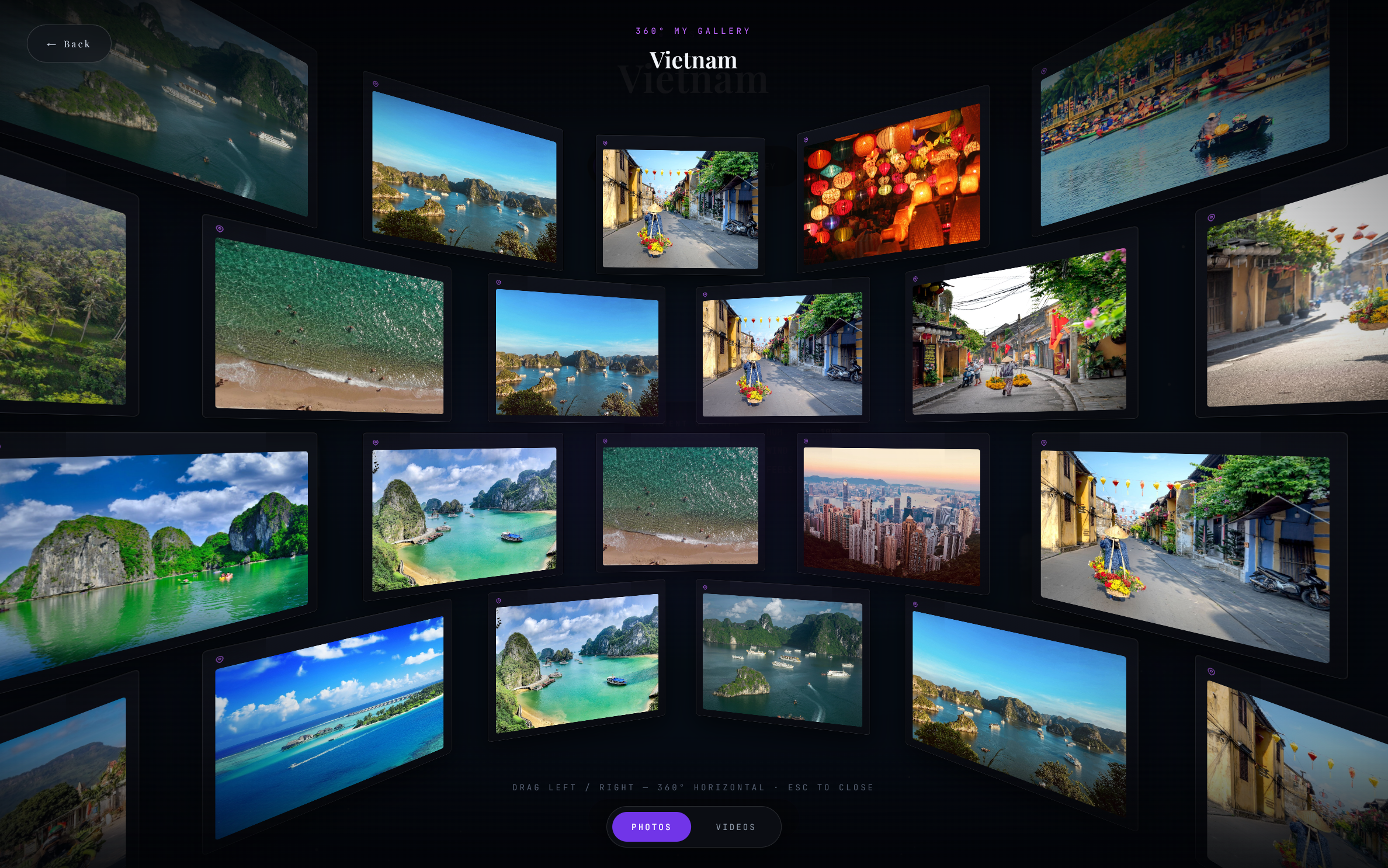
Odyssa is web-first. It runs in a browser, there's nothing to install, and — the part that's actually different — you share your travels as a link anyone can open in their own browser, no app required. Each country you've visited becomes its own small album: you hand-pick a few photos and videos, add a note, and they live on an interactive 3D globe you can spin and share, or export as a video. Pricing is freemium, with Pro at $18/year.
The philosophy is the opposite of automatic tracking. Odyssa doesn't follow your GPS or capture everything — you choose what goes in. That's the whole idea: a curated map of the trips that mattered, not a complete log of everywhere your phone has been.
You can build one free at odyssa.me and see whether the country-album approach fits how you remember travel.
Where it doesn't fit: if you want fully automatic route recording, a chronological trip timeline, or a big social feed, the apps above do those better today. Odyssa trades automation for intention.
The honest comparison
| App | Platform | Price | Core model | Auto-tracks route | Photos per place | Shareable link | Best for |
|---|---|---|---|---|---|---|---|
| Been | Mobile | Free + one-time premium | Country/region counter | No | No (notes only) | Map card (image) | The count, no subscription |
| FindPenguins | Mobile + web | Free | Route journal + social | Yes | Yes | Yes | Free automatic journaling |
| Polarsteps | Mobile + web | Free + ~€29.99/yr | Route journal + planner | Yes | Yes | Yes | Auto logging + printed books |
| Visited | Mobile | Free + IAP | Counter + bucket lists | No | No | Image/poster | Checklists and posters |
| Odyssa | Web | Free + $18/yr | Country-album globe | No | Yes | Yes (opens in browser) | Curated memory you share |
So which should you pick?
- You want the number, no subscription → Been
- You want it automatic and free → FindPenguins
- You want automatic plus planning and a book → Polarsteps
- You want checklists and a wall poster → Visited
- You want to curate trips by country and share a link → Odyssa
There's no wrong answer here — only the wrong app for how you like to remember travel. Pick the job you care about most — counting, logging, or remembering — and the right app falls out of that choice.
If "remembering" is your answer and you'd rather curate than auto-capture, start your map at odyssa.me — it's free to try.
FAQ
What's the best free travel tracking app? FindPenguins is the strongest fully-free option — automatic tracking, photos and videos, and sharing at no cost. Been, Polarsteps, and Odyssa all have generous free tiers too.
What's the best app to track countries visited? For a pure count, Been or Visited. If you want each country to hold photos and a story you'll revisit, a country-album tool like Odyssa is a better fit than a plain counter.
Do travel tracking apps drain your battery? The auto-tracking ones (Polarsteps, FindPenguins) are built to be battery-friendly and run quietly in the background. Counters and web-based tools like Been, Visited, and Odyssa don't track your GPS at all, so battery isn't a concern.
Can I track my travels without installing an app? Yes. Odyssa is web-based and runs in a browser, and Polarsteps and FindPenguins offer web views — though their full experience lives in the app.